 Ultimate guide
Best Practices for Securing Personal Health and Nutrition Data
Last Updated: November 24, 2026
Quick Summary
Best practices for securing personal health and nutrition data start with locking down app permissions, disabling ad tracking, and using unique passwords with multi-factor authentication. Read each app's privacy policy for sharing and retention clauses, test deletion early, and verify encryption claims before entering real data.
- Revoke camera and photo access for any app that doesn't need it to function.
- HIPAA usually does not cover consumer nutrition apps bought in an app store.
- Set a six-digit passcode minimum and confirm full-device encryption is enabled.
- Use an authenticator app for multi-factor authentication rather than SMS where possible.
- Request account deletion before investing months of data to test the deletion path.
Table of Contents
- Why Your Nutrition Data Is Worth Protecting
- Health App Privacy Settings You Should Change First
- HIPAA and Health Apps: What Actually Applies to Consumers
- Protecting Health Data on Smartphones and Wearables
- Account Security: Strong Passwords, MFA, and Least Privilege
- A Practical Workflow for Evaluating Nutrition and Health Apps
- Health Data Breach Response: What to Do in the First 48 Hours
- Choosing a Food App That Respects Your Privacy
- Frequently Asked Questions
Why Your Nutrition Data Is Worth Protecting
Best practices for securing personal health and nutrition data start with one uncomfortable fact: a food log is a behavioral diary, and the best practices for securing personal health and nutrition data begin there.
Health data security is the set of technical and behavioral controls that keep personal health information out of unauthorized hands.
A common mistake is assuming a diet app is harmless because it isn't a hospital record. In practice, a nutrition log combined with location and purchase history builds a detailed profile.
Health App Privacy Settings You Should Change First
Health app privacy settings are the fastest lever you control. Most apps ship with permissive defaults because sharing benefits the vendor, not you. Fifteen minutes in settings closes most of the gap.
Start with these five changes:
- Revoke camera and photo access for any app that doesn't need it to function
- Disable background app refresh for food and fitness apps
- Turn off precise location; use approximate or deny entirely
- Set ad identifiers to off at the operating-system level
- Review connected accounts and remove stale integrations
Audit Permissions on Every App That Touches Your Food Log
Open your phone's privacy dashboard and list every app with camera, microphone, location, or health access. Revoke anything the app cannot justify. A scanner needs the camera while open, not constantly. If an app requests contacts or SMS access, that is a red flag worth acting on. Readers who want to understand what drives scan reliability can review how to improve AI food scanner accuracy before deciding which permissions to grant.
Turn Off Ad Tracking and Third-Party Sharing
Advertising identifiers are how nutrition data leaks into data broker ecosystems. Reset your advertising ID, disable cross-app tracking, and check each app's privacy policy for language about "partners" or "affiliates." The FTC guidance on protecting your privacy online explains how to limit tracking at the device level. For a deeper look at how AI food tracking handles images, see AI food tracking privacy explained.
HIPAA and Health Apps: What Actually Applies to Consumers
HIPAA almost certainly does not cover your calorie app. The Health Insurance Portability and Accountability Act applies to covered entities: providers, insurers, and clearinghouses, plus their business associates. A consumer nutrition app bought in an app store usually falls outside that chain.
What applies instead is a patchwork:
| Protection | Covers consumer nutrition apps? | What it gives you |
|---|---|---|
| HIPAA | Usually no | Federal safeguards for clinical records |
| State privacy laws | Often yes | Access, deletion, and opt-out rights |
| FTC Act | Yes | Enforcement against deceptive practices |
| App store policies | Yes | Data disclosure requirements |
The practical takeaway: read the privacy policy, and check whether your state grants deletion rights. The HHS consumer information on health information privacy clarifies which records HIPAA protects.
Protecting Health Data on Smartphones and Wearables
Protecting health data on smartphones begins with the device itself. A phone without a passcode is an unlocked filing cabinet.
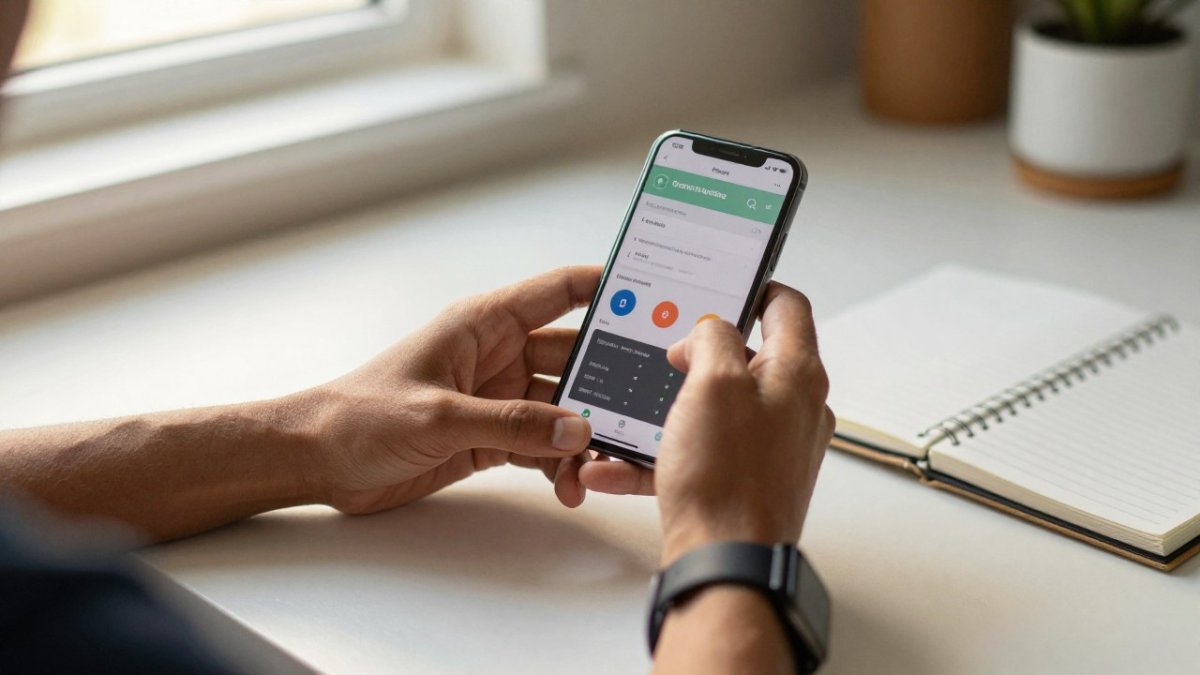
The device layer is where most consumer health data actually lives, and it is the layer you can control without asking anyone's permission.
Pass 1, Lock screen and encryption. Set a six-digit passcode minimum and enable biometric unlock.
Pass 3, Wearable and companion-app hygiene. A wearable is only as private as the account it syncs to.
Pass 4, Shared and lost devices. A shared household tablet or a hand-me-down phone is a common leak path: the previous user's account may still be signed in, or a family member may have access to your nutrition app through a shared profile. Readers integrating new tools can follow a guide to integrating AI health tools into daily routines without exposing device data.
Account Security: Strong Passwords, MFA, and Least Privilege
Strong passwords and multi-factor authentication are the highest-return security controls available to any consumer. Reused credentials remain the most common path into personal accounts.
Apply least privilege to your own accounts. That means:
- Unique passwords per app, stored in a password manager
- Multi-factor authentication via an authenticator app, not SMS where possible
- Revoking OAuth access for apps you no longer use
- Separate accounts for health apps versus social logins
A common mistake is signing into a nutrition app with a social account that already has broad permissions. That single decision grants the app whatever your social profile exposes.
A Practical Workflow for Evaluating Nutrition and Health Apps
A practical workflow turns app evaluation into a repeatable checklist rather than a gut call. Run every candidate through the same six steps before you enter real data. This is the section most guides skip: they tell you to "read the privacy policy" without telling you what to look for, or how nutrition data specifically leaks into advertising and data-broker ecosystems.
- Read the privacy policy for four specific clauses, what is collected, who it is shared with (look for "partners," "affiliates," "service providers," and "advertising"), how long it is retained, and whether it is sold. A policy that says data may be shared with "business partners" for "marketing purposes" is telling you your food log may become ad-targeting input.
- Check account requirements and anonymous modes. If the app forces an account, ask whether it forces an email, a phone number, or a social login. Anonymous or no-login modes reduce the identity link between you and your meal history.
- Audit permissions at install, before first use. Grant camera only while the app is open, deny contacts and SMS, and set location to approximate or deny. A scanner needs the camera in the moment, not constant access.
- Test deletion early. Request account removal before you have invested months of data. If the deletion path is buried, requires an email to support, or the policy says data may persist in backups indefinitely, treat that as a disqualifier.
- Verify encryption claims. Look for language about encryption in transit and at rest in the policy or security documentation. A claim of "bank-level security" with no specifics is marketing, not a control.
- Review breach history and ownership. Search public reporting for prior breaches and check who owns the app, a small app acquired by an advertising or data company can change the privacy posture overnight.
Data Minimization, Retention, and Deletion
Data minimization means collecting only what the service needs. Retention defines how long it keeps it. Deletion is your exit. Ask three questions of any app: what does it store, how long, and can you delete it fully? If the answer to the third is vague, treat that as a disqualifier. Export your data periodically so you are not locked in, and prefer apps that let you delete individual entries rather than only the whole account.
Data Brokers, Advertising, and Secondary Use
Nutrition data rarely stays inside the app. It can be inferred from purchase history, combined with location and wearable streams, and used for targeted advertising or sold to data brokers, risks that exist entirely outside traditional healthcare settings and outside HIPAA. The FTC guidance on protecting your privacy online explains how to limit tracking at the device level, and the FTC consumer advice on data brokers describes how to opt out where brokers offer it. Treat any app that monetizes through advertising as one where your food log is part of the product.
Sharing Safely with Coaches, Clinicians, and Family
Secure sharing means scoped access, not a password handoff. Share exported summaries rather than account logins, use time-limited links where offered, and confirm what a coach or clinician will do with the data. Readers weighing whether AI coaching fits their needs can start with is AI nutrition coaching safe. Those who want no-login options should read the guide to no account nutrition tracking apps.
Watch out: a "free" nutrition app whose privacy policy permits sharing with advertising partners is not free, the cost is the behavioral profile your meal log builds.
Health Data Breach Response: What to Do in the First 48 Hours
Health data breach response follows a fixed sequence. Speed matters more than perfection in the first two days.
- Change the password and revoke active sessions immediately
- Enable MFA if it wasn't already on
- Check the app's breach notification for what was exposed
- Freeze credit if identity fields were involved
- Report identity theft at IdentityTheft.gov
- Document everything for later disputes
The IdentityTheft.gov recovery plan walks through federal recovery steps. Watch out: waiting for the company's email before changing credentials gives an attacker a window that closes fast.
Choosing a Food App That Respects Your Privacy
Choosing a food app that respects your privacy comes down to architecture, not marketing copy. The strongest privacy position is collecting less data in the first place.
That is the design logic behind Dialed In.
Most people hand over a detailed behavioral record to the first app that promises convenience. The better path is choosing tools that never build that record.
Frequently Asked Questions
How can I protect my personal health information online?
Start with the basics: use a unique strong password for every health and nutrition account, turn on multi-factor authentication, and review each app's privacy settings to disable ad tracking and third-party sharing. Keep your phone's operating system updated, enable encryption and a screen lock, and check which apps have permission to access your camera, location, and health data. Delete accounts and export your data from apps you no longer use, and read the privacy policy before signing up for anything new.
What should I check before using a nutrition or health app?
Read the privacy policy and look for three things: what data the app collects, whether it shares or sells data to third parties, and how you can export or delete your data. Check the app store listing for the data safety section, confirm whether an account is required, and see if the app offers a no-account or guest mode. Also verify what permissions it requests. A food scanner needs camera access, but it does not need your contacts or continuous location tracking.
Is health information stored in a consumer app protected by HIPAA?
Usually not. HIPAA covers covered entities such as healthcare providers, insurers, and their business associates. A consumer nutrition or fitness app you download yourself is typically outside that scope, even if it stores health-related data. That means the app's own privacy policy, not HIPAA, governs how your data is handled. Some apps voluntarily follow HIPAA-style safeguards, but you should confirm this in writing rather than assume it.
What should I do if my health data is exposed in a breach?
Change the password on the affected account immediately and anywhere you reused it, then enable multi-factor authentication. Check the breach notice for what data was exposed and monitor your accounts for unfamiliar activity. If identity details like your Social Security number were involved, consider a fraud alert or credit freeze with the major credit bureaus. Export any data you still need, then delete the account if you no longer trust the service. Report suspected identity theft at IdentityTheft.gov.
How can I safely share nutrition data with a coach or healthcare provider?
Share only what the conversation requires. Export a summary or date range rather than granting full account access, and use the app's built-in sharing feature instead of sending screenshots through unsecured channels. For clinicians, ask whether their patient portal accepts uploads. Revoke sharing access as soon as the coaching engagement or appointment ends, and check the app's settings afterward to confirm the connection is closed.
How can I limit the health data an app collects?
Practice data minimization: deny permissions the app does not need, such as contacts, precise location, or background activity. Use guest or no-account modes where offered, and opt out of analytics and personalization where the settings allow. Set a retention habit by exporting and deleting old logs periodically. Before installing, compare what the app store lists under data collection against what the app actually requires to function.